Disable Printer Spooler
MITRE ATT&CK: Service Execution, DLL Side Loading, Privilege Escalation · MITRE D3FEND: System Service Software
The Printer Spooler service is responsible for handling print jobs. Because a Domain Controller is a Tier-0 server, it should not be used as a Printer Server. Known vulnerabilities such as CVE-2021-1675 (PrintNightmare) use the Printer Spooler service. Disabling the Print Spooler service on a Domain Controller gives you an extra layer of security.
Audit
Configuration (PowerShell)
Stop the printer spooler service on a non-domain joined Windows Server through Windows PowerShell. For domain-joined Windows servers, it's recommended to disable the printer spooler through Group Policies.
Disable the Printer Spooler service.
Configuration (Group Policy)
For domain-joined Windows Servers disable printer spooler through Group Policies. Make sure that printer server(s) are excluded from this policy.
- Open the Group Policy Management Console.
- Navigate to the GPO in which you want to set this policy.
- In the GPO navigate to Computer Configuration\Policies\Windows Settings\Security Settings\System Services
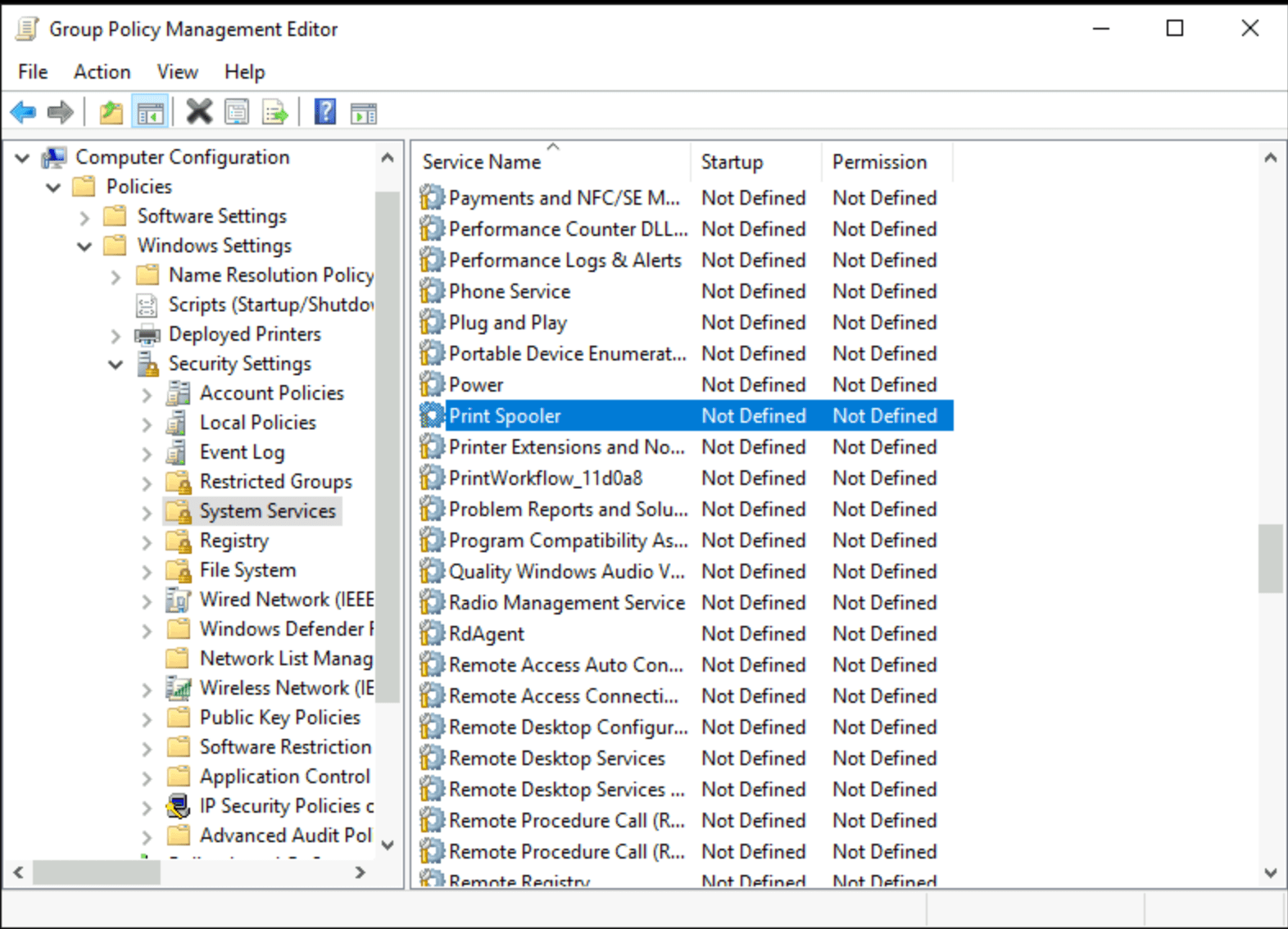 Windows Server disable printer spooler
- Double-click on the Printer Spooler service.
- Tick Define this policy setting and set the startup mode on Disabled.
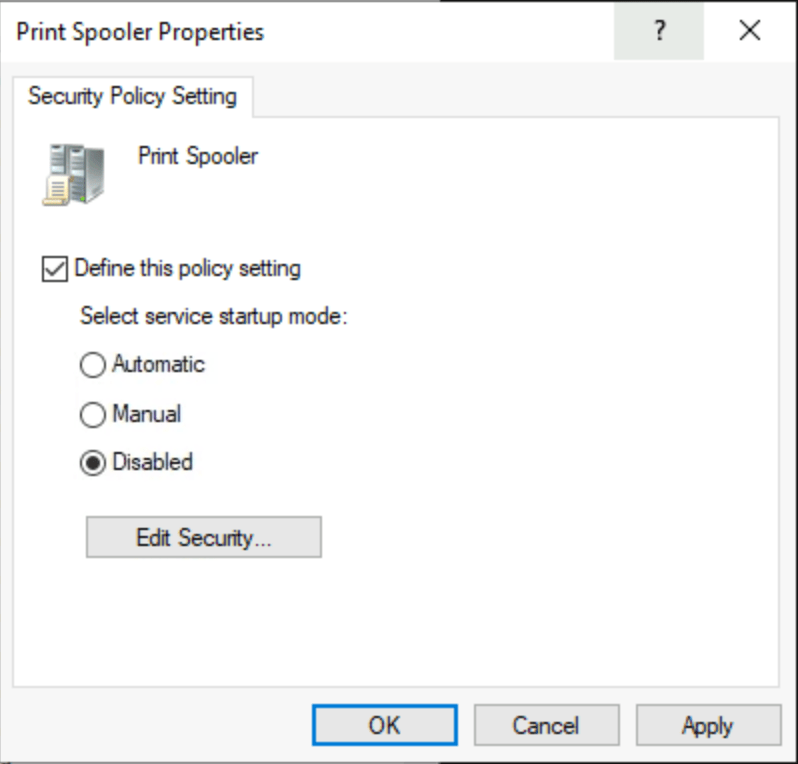 Disable Printer Spooler through GPO
- Press OK.
After this configuration, it is advisable to run a gpupdate /force on a server to test whether the policy is functioning correctly.
User Impact
If there are printers installed on the Domain Controllers, they can no longer process print jobs. Printers published via the Active Directory are not affected.