Enable Modern Authentication Sharepoint Online
Modern authentication in Microsoft 365 enables authentication features like multifactor authentication (MFA) using smart cards, certificate-based authentication (CBA), and third-party SAML identity providers. Strong authentication controls, such as the use of multifactor authentication, may be circumvented if basic authentication is used by SharePoint applications. Requiring modern authentication for SharePoint applications ensures strong authentication mechanisms are used when establishing sessions between these applications, SharePoint, and connecting users.
Audit (Sharepoint admin center)
- Login into Sharepoint Online admin center via https://admin.microsoft.com/sharepoint.
- Navigate to Policies and select Access Control.
- Choose for the option Apps that don't use modern authentication.
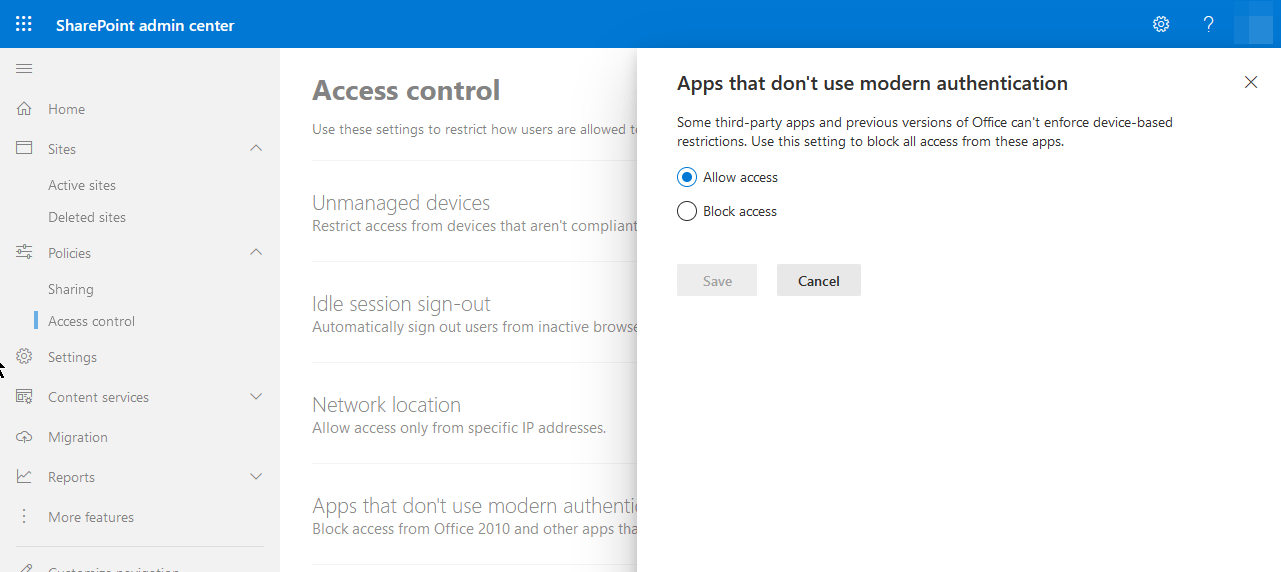 Sharepoint Online Audit Modern Authentication
4. Default this setting is configured as Allow Access.
Audit (PowerShell)
Make sure you have your PowerShell session connected to your Sharepoint Online tenant, before you run this command.
Check if the modern authentication is enabled.
Configuration (Sharepoint admin center)
- Login into Sharepoint Online admin center via https://admin.microsoft.com/sharepoint.
- Navigate to Policies and select Access Control.
- Choose for the option Apps that don't use modern authentication.
- Set the sign out inactive users automatically to On.
- Configure the option to the value Block Access.
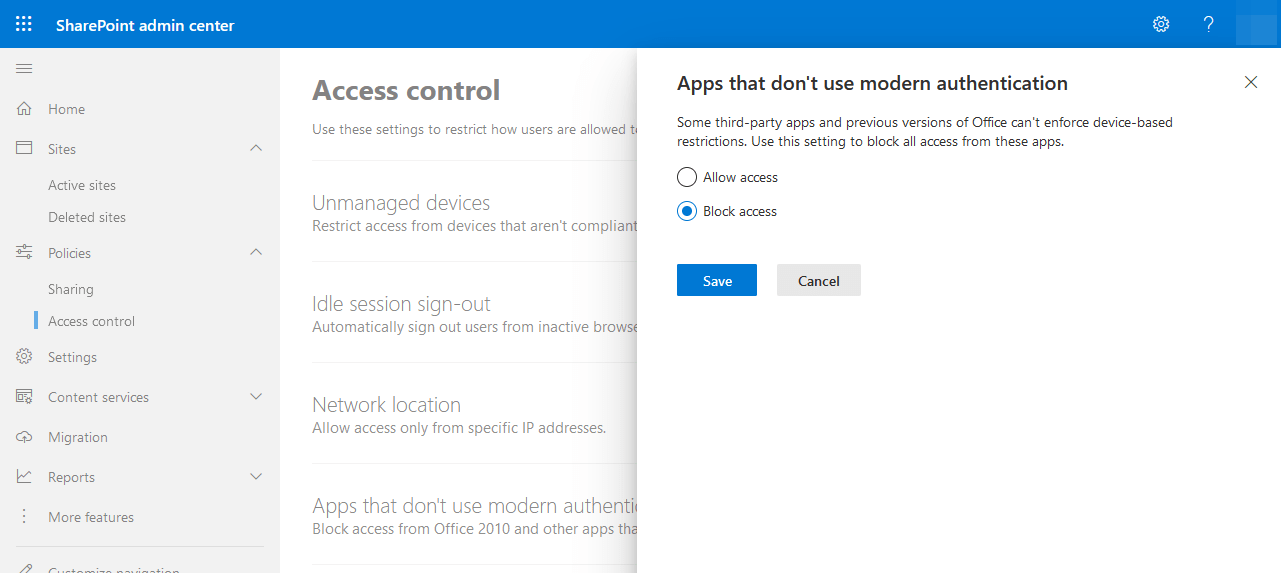 Sharepoint Online Enable Modern Authentication
- Do not forget to click on Save.
Configuration (PowerShell)
Make sure you have your PowerShell session connected to your Sharepoint Online tenant, before you run this command.
User Impact
Users running Microsoft Office 2010 or Microsoft Office 2013 with applications older than version 15.0.4753.1001 will no longer be able to connect to Sharepoint Online. They will need to upgrade their Microsoft Office to a newer version of Microsoft Office.