Limit access from unmanaged devices
As a measure to prevent unmanaged devices (those not hybrid AD joined or compliant in Microsoft Intune) can restrict access to your corporate data in Sharepoint Online. This reduces the chance of a potential data breach, as only managed devices can download and/or sync files with OneDrive for Business.
The majority of organizations that wants to collaborate with external parties can configure this setting Allow limited, web-only access. It depends on what the security needs are for the organization. If the organization has a high-security profile, you may want to configure this setting more restrictive.
Audit (Sharepoint admin center)
- Login into Sharepoint Online admin center via https://admin.microsoft.com/sharepoint.
- Navigate to Policies and select Access Control.
- Choose for the option Unmanaged devices.
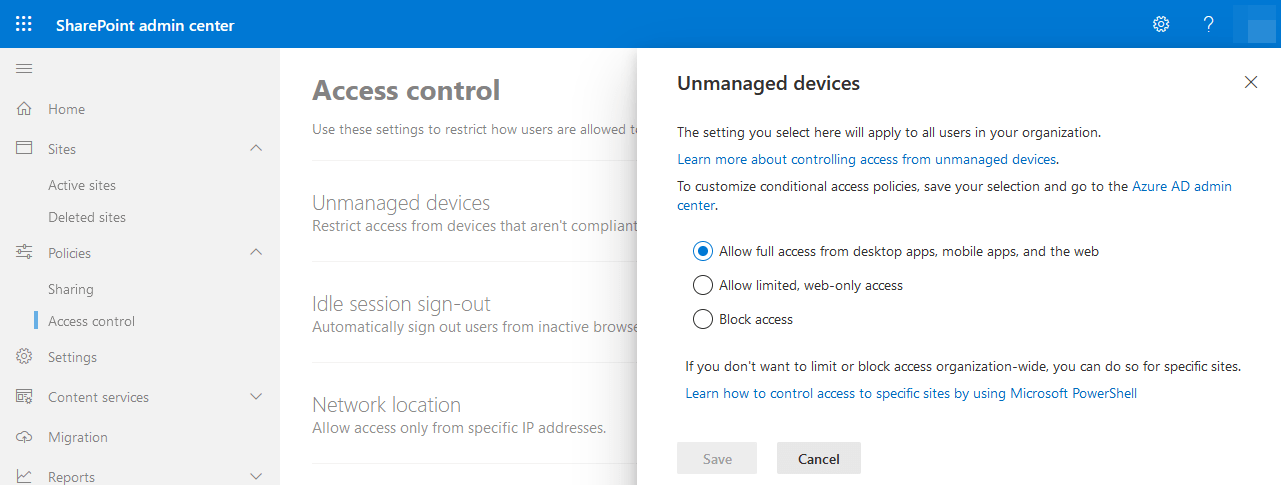 Sharepoint Online Unmanaged Devices
4. Default the setting is set to Allow full access from desktop apps, mobile apps and the web.
Configuration (Sharepoint admin center)
- Login into Sharepoint Online admin center via https://admin.microsoft.com/sharepoint.
- Navigate to Policies and select Access Control.
- Choose for the option Unmanaged devices.
- Select the option Allow limited, web-only access.
Note
As a result of enabling this policy, the policy Apps that don't use modern authentication will be automatically set to Block Access.
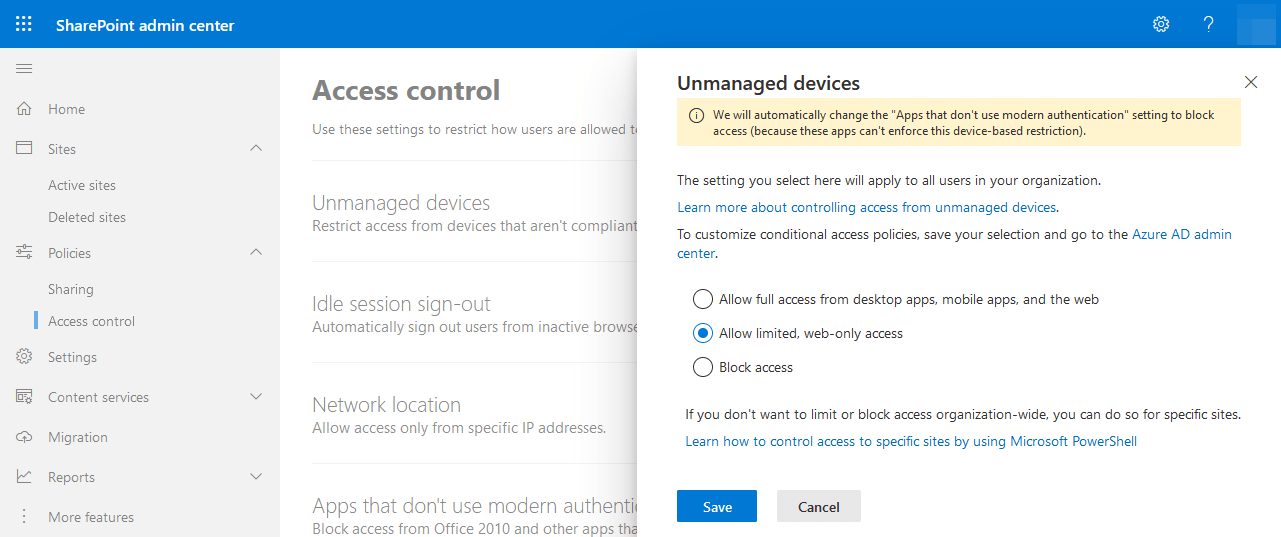 Sharepoint Online Unmanaged devices Allow limited, web-only access
5. Do not forget to click on Save.
User Impact
Limiting access allows users to remain productive while addressing the risk of accidental data loss on unmanaged devices. When you limit access, users on managed devices will have full access (unless they use one of the browser and operating system combinations listed in Supported browsers). Users on unmanaged devices will have browser-only access with no ability to download, print, or sync files. They also won't be able to access content through apps, including the Microsoft Office desktop apps. When you limit access, you can choose to allow or block editing files in the browser. When web access is limited, users will see the following message at the top of sites.
