Disable NetBIOS, LLMNR and mDNS
Disable NetBIOS
Audit
With a WireShark trace, you can capture NetBIOS traffic in the network. Configure the display filter on netbios.
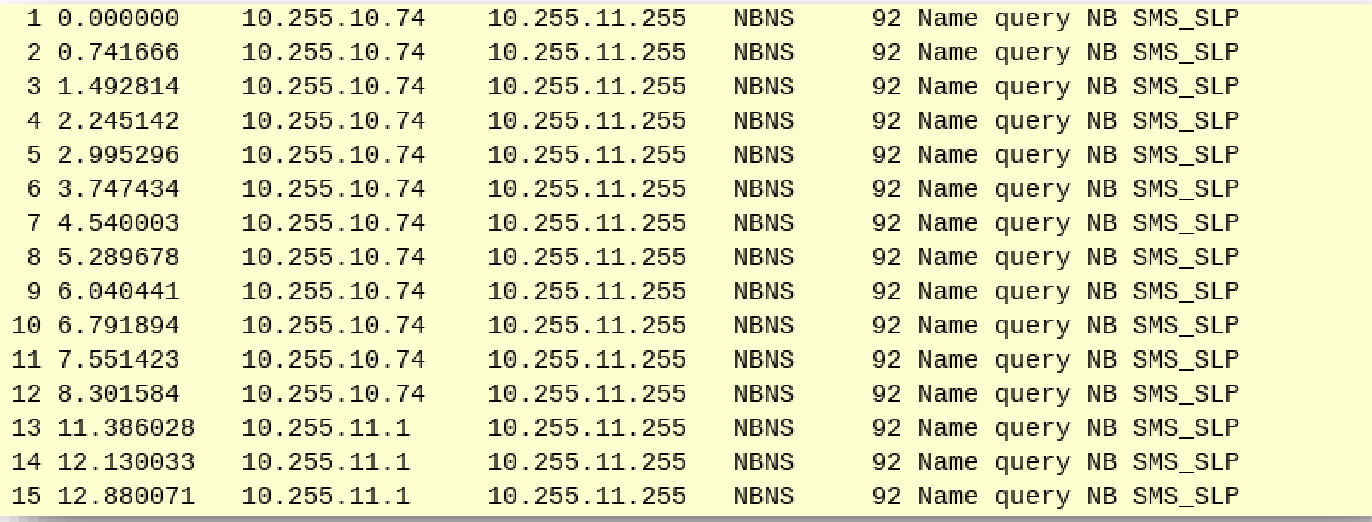 Check for NetBIOS traffic with WireShark
Configuration (PowerShell)
Disable NetBIOS on all network adapters on a single Windows Server with PowerShell
Set-ItemProperty HKLM:\SYSTEM\CurrentControlSet\services\NetBT\Parameters\Interfaces\tcpip* -Name NetbiosOptions -Value 2
Configuration (Group Policy)
Configuration (Windows Firewall)
Ensure to disable the Windows Firewall for the following outbound ports and protocols to block outbound NetBIOS traffic through Group Policy or policies deployed through Microsoft Intune, for the following protocols:
- 137/udp (Name Services)
- 138/udp (Datagram Services)
- 139/tcp (Session Services)
User Impact
Before you turn off WINS/NetBT name resolution, verify that you don't need to use WINS or earlier NetBT-type applications for this network connection. For example, you can turn off WINS/NetBT name resolution if you communicate only with other that run a product in Windows Server 2003 (Microsoft Windows XP, or Microsoft Windows 2000) that use DNS and that register their names with DNS, or if you communicate with Internet computers using DNS-aware applications. Do not turn off WINS/NetBT name resolution if you communicate with computers that run a version of Windows that may use WINS or earlier NetBT-type applications (such as Microsoft Windows NT, Microsoft Windows Millennium Edition, Microsoft Windows 98, or Microsoft Windows 95).source